Quick Answer
Spotify lossless audio makes the quality of an artist’s mix, master, and source files more noticeable to listeners with better playback setups. Independent artists should upload clean, properly mastered audio, avoid low-quality conversions, and treat lossless as a quality signal rather than a shortcut to more streams.
Key Takeaways
- Lossless playback can reveal mix and mastering problems more clearly.
- Artists should start with high-quality source files before distribution.
- Metadata, artwork, and release planning still matter alongside audio quality.
- Lossless audio improves presentation but does not guarantee discovery or playlisting.
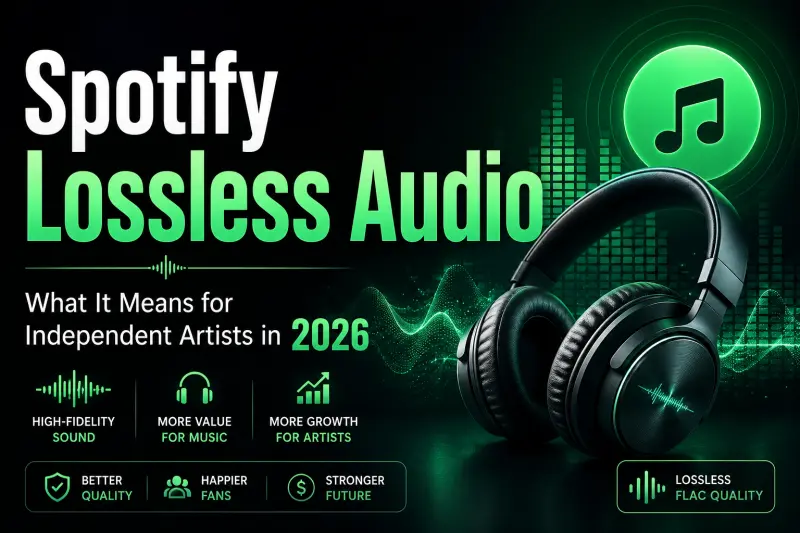
Spotify Lossless Audio Is Here: What It Means for Independent Artists in 2026
Spotify has finally entered the lossless audio era — and independent artists should not ignore it.
For listeners, it means cleaner sound. For artists, it means your mix, master, and upload quality are now more exposed than ever.
Spotify officially announced Lossless listening for Premium users in September 2025, offering streams in up to 24-bit/44.1 kHz FLAC across nearly every song on the platform. In 2026, this is no longer just an audiophile update — it is a serious quality signal for artists releasing music professionally.
What Is Spotify Lossless Audio?
Spotify Lossless allows eligible listeners to stream music in a higher-quality FLAC format instead of only hearing compressed audio.
In simple words: lossless audio keeps more of the original sound detail from the master file. Vocals, reverb tails, stereo width, low-end texture, and small mix details can feel clearer when played on good headphones, speakers, or Spotify Connect devices.
Spotify’s own support page lists Lossless quality as equivalent to up to 24-bit/44.1 kHz FLAC. Spotify also notes that Bluetooth does not provide enough bandwidth for true lossless playback, so listeners get the best result through wired headphones, speakers, Wi-Fi, or compatible Spotify Connect devices.
Why This Matters for Independent Artists
Before lossless audio, many listeners heard your track through heavy compression, phone speakers, Bluetooth earbuds, or low-quality streaming settings. That still happens, but now a growing group of Premium listeners can hear your music with much more detail.
That means your production quality matters more.
A clean mix can sound more expensive. A bad master can sound more obvious. Harsh vocals, clipping, muddy bass, noisy exports, and over-compressed masters may become easier to notice.
For independent artists, this does not mean you need a million-dollar studio. It means your release process should become more professional.
Does Spotify Lossless Increase Artist Royalties?
No, Spotify Lossless does not automatically mean artists earn more per stream.
Spotify says royalties are calculated through streamshare, not a fixed per-stream rate. Your payout depends on your share of total streams in a market, the revenue pool, rightsholder agreements, distributor terms, and other factors. Spotify also clearly states that it does not pay royalties according to a fixed per-play or per-stream rate.
So the benefit of Spotify Lossless is not direct extra money per play.
The real benefit is branding, listener experience, and quality perception. If your song sounds polished in lossless, it can help you build trust with serious listeners, playlist curators, labels, and fans who care about sound.
Do Artists Need to Re-Upload Old Songs?
Not always.
If your old release was uploaded through a proper distributor using a high-quality WAV or FLAC file, you may not need to do anything. But if you uploaded a low-quality file, an MP3, a badly exported master, or a track below Spotify’s required specs, your release may not fully benefit from lossless playback.
Spotify says tracks delivered below 16-bit or below 44.1 kHz will be upconverted, but they will not be eligible for lossless playback. Tracks delivered above 24-bit are reduced internally to a maximum of 44.1 kHz / 24-bit FLAC.
This is important for independent artists: your distributor upload file now matters even more.
Best Audio Format for Spotify in 2026
For future releases, independent artists should avoid uploading compressed files whenever possible.
Use:
- WAV or FLAC
- Minimum 16-bit / 44.1 kHz
- Preferably 24-bit / 44.1 kHz if your distributor supports it
- Clean final master with no clipping
- Proper metadata and credits
Spotify for Artists also recommends exporting the highest quality lossless files and following your distributor’s upload guidelines.
Mastering Tips for Spotify Lossless
Lossless audio does not fix a bad master. It reveals it.
Spotify’s artist support recommends targeting around -14 dB integrated LUFS and keeping the master below -1 dB True Peak. If your master is louder than -14 LUFS, Spotify recommends keeping True Peak below -2 dB to reduce the risk of extra distortion during playback and transcoding. These guidelines also apply to tracks delivered for lossless playback.
That does not mean every song must be exactly -14 LUFS. Loud genres can still be louder. But if your track is crushed just to sound louder, Spotify’s normalization may turn it down anyway — and the lossless version may expose the damage.
A better approach in 2026:
Keep the master loud enough for your genre, but clean enough to survive streaming.
What Independent Artists Should Do Now
Here is a simple checklist:
- Stop uploading MP3 masters
Always upload WAV or FLAC when releasing music. - Check your old catalog
If your biggest songs were uploaded years ago with poor-quality files, consider whether a remastered version is worth releasing. - Avoid clipping
Distorted masters may sound worse in lossless because listeners can hear more detail. - Use proper mastering
Do not rely only on loudness. Focus on clarity, balance, dynamics, and translation across devices. - Test your track before release
Listen on headphones, phone speakers, car speakers, monitors, and earbuds. - Keep your metadata clean
Lossless quality is one part of a professional release. Credits, artwork, artist profile, Canvas, and release planning still matter.
Will Fans Notice Spotify Lossless?
Some will. Some will not.
Many casual listeners still use Bluetooth earbuds or normal streaming settings. But serious listeners, producers, playlist editors, DJs, and audiophiles may notice the difference.
And even if only a small percentage of listeners use lossless, your music should still be ready for that environment.
Independent artists should think of Spotify Lossless like HD video on YouTube. Not everyone watches in 4K, but creators still upload the best quality because the platform supports it.
Biggest Mistakes Artists Should Avoid
The biggest mistake is thinking lossless audio means your song will automatically sound better.
Lossless does not improve the music. It only preserves more of what is already there.
If the mix is muddy, it stays muddy. If the vocal is harsh, it stays harsh. If the master is clipped, lossless can make that clipping even more noticeable.
Another mistake is panicking and re-uploading everything. You do not need to replace your entire catalog blindly. Start with your most important songs, biggest streaming tracks, and upcoming releases.
Final Thoughts
Spotify Lossless is not just a listener feature. It is a reminder that music quality still matters.
For independent artists in 2026, the goal is simple: release music that sounds professional everywhere — compressed, lossless, on headphones, in cars, and on speakers.
You do not need to chase technical perfection. But you do need to stop treating upload quality as an afterthought.
In the lossless era, your master file is not just a file.
It is your first impression.
FAQ: Spotify Lossless Audio for Independent Artists
1. What is Spotify Lossless audio?
Spotify Lossless is a higher-quality audio streaming option that lets Premium users listen to songs in FLAC format with more detail compared to standard compressed streaming.
2. Does Spotify Lossless increase artist royalties?
No. Spotify Lossless does not directly increase artist royalties. Artists are still paid based on Spotify’s royalty and streamshare system, not because a song is played in lossless quality.
3. Should independent artists upload WAV or MP3 to Spotify?
Artists should upload WAV or FLAC files through their distributor whenever possible. MP3 files are compressed and may not deliver the best quality for streaming platforms.
4. Do I need to re-upload my old songs for Spotify Lossless?
Not always. If your old songs were uploaded in high-quality WAV or FLAC format, you may not need to re-upload them. But if your older releases were uploaded with poor-quality audio, you may consider remastering or re-releasing important tracks.
5. What is the best mastering level for Spotify in 2026?
A safe target is around -14 LUFS integrated with enough headroom, but it depends on the genre. The main goal should be a clean master with no clipping or harsh distortion.
6. Will fans really notice lossless audio?
Casual listeners may not always notice, especially on Bluetooth earbuds. But serious listeners, producers, DJs, playlist curators, and audiophiles may hear the difference on good speakers or wired headphones.
7. Is Spotify Lossless important for new artists?
Yes. It gives independent artists another reason to focus on professional mixing, mastering, and upload quality. Even if it does not increase royalties directly, it can improve how your music is experienced.
Release Your Music Globally With Last Play Distro
With Last Play Distro, artists can distribute music globally to 150+ platforms, start on a Free tier where they keep 60% royalties, or upgrade to Premium tiers where they can keep up to 95% royalties.
- Global music distribution for independent artists
- Transparent royalties with plan-based royalty splits
- No fake partner, review, rating, or inflated artist-count claims