Quick Answer
This article explains Spotify Clips copyright for independent artists by focusing on using short-form Spotify video features without creating music rights problems. The practical takeaway is to verify current platform or rights rules, keep clean metadata and documentation, and make decisions based on your catalog goals rather than hype, shortcuts, or unsupported claims.
Key Takeaways
- Spotify Shorts (Clips) & Music Copyright Rules 2026 is mainly about using short-form Spotify video features without creating music rights problems.
- Artists should keep accurate metadata, release records, and rights documentation.
- Platform, marketplace, and royalty policies can change, so current rules should be verified.
- The safest plan is to protect catalog control while building sustainable audience growth.
Spotify Shorts (Clips) Music Copyright Rules 2026: What Artists & Creators Must Know
Short-form content is no longer limited to Instagram Reels or TikTok. In 2026, Spotify Clips (also called Spotify Shorts by many creators) are becoming a major discovery tool for artists.
But with this growth, Spotify has tightened music copyright and usage rules, especially around:
-
Clips
-
Canvas videos
-
Artist promo videos
-
Short-form vertical content
If you’re an artist or creator using Spotify Clips, this guide is critical.
🔍 What Are Spotify Clips?
Spotify Clips are short vertical videos (under 30 seconds) that appear on:
-
Artist profiles
-
Song pages
-
Release promo sections
-
Discovery feeds
They help artists:
-
Promote songs visually
-
Increase saves & follows
-
Improve algorithmic discovery
⚠️ Why Spotify Updated Music Copyright Rules in 2026
Spotify faced issues with:
-
Unauthorized use of copyrighted audio in Clips
-
Artists using non-owned background music
-
AI-generated music misuse
-
Reused TikTok/Reels audio
To protect rights holders, Spotify updated its short-form content policies.
🎵 Can You Use Any Music in Spotify Clips?
No. Spotify Clips have stricter rules than Reels or TikTok.
✅ Allowed
✔ Your own released songs
✔ Instrumentals you fully own
✔ Royalty-free music with valid license
✔ Spotify-distributed tracks under your artist profile
🚫 Not Allowed
❌ Popular songs by other artists
❌ Background music not owned by you
❌ AI-generated music without clear ownership
❌ Audio copied from TikTok / Reels
❌ Sound-alike or remix content
Spotify Clips are treated as artist-owned promotional content, not social memes.
🤖 AI-Generated Music in Spotify Clips (2026 Rules)
AI music is allowed only under strict conditions.
✅ Allowed
✔ AI-assisted music with human creativity
✔ Original AI instrumentals you own
✔ AI music officially distributed under your name
🚫 Not Allowed
❌ AI covers of popular songs
❌ AI voice cloning
❌ Fully auto-generated AI tracks with shared datasets
❌ Undisclosed AI usage
Spotify may remove Clips silently if AI risk is detected.
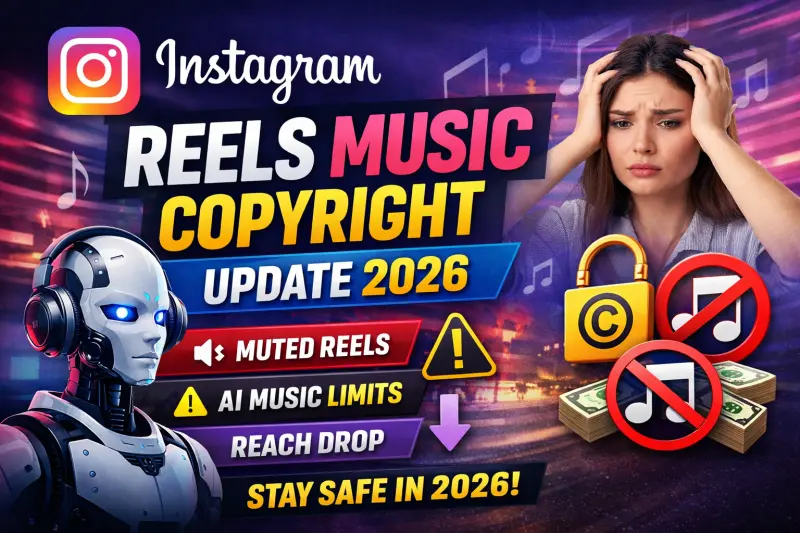
🚫 Common Reasons Spotify Clips Get Removed
In 2026, Clips are removed because of:
❌ Using copyrighted background audio
❌ Reusing Instagram/TikTok videos with embedded music
❌ AI audio similarity detection
❌ Mismatch between Clip audio and artist catalog
❌ Non-licensed sound effects
Spotify does not issue strikes — it simply limits reach or removes the Clip.
💰 Monetization & Algorithm Impact
Spotify Clips:
-
Do NOT run ads
-
But strongly affect:
✔ Saves
✔ Playlist adds
✔ Follow growth
✔ Algorithmic push
⚠️ Copyright-flagged Clips can negatively affect song reach.
🎯 Best Practices for Artists (Very Important)
To stay 100% safe in 2026:
✅ Use only your own released music
✅ Upload Clips directly inside Spotify for Artists
✅ Avoid cross-posting videos with baked-in audio
✅ Keep Clips under 15–20 seconds
✅ Focus on storytelling, not memes
✅ Match Clip audio exactly with the song
Artists using Clips correctly see higher Release Radar & Discover Weekly placement.
🚀 Why Spotify Pushes Original Artist Clips
Spotify’s algorithm favors:
-
Artist-uploaded visuals
-
Copyright-safe content
-
Original promo videos
-
Early release engagement
This means:
🎵 Better discovery
🎵 Stronger artist branding
🎵 No copyright risk
🧠 Final Verdict
In 2026:
-
Spotify Clips are powerful
-
Copyright rules are strict
-
AI misuse is monitored
-
Original artists benefit the most
Spotify wants real artists promoting their own music, not reused trends.
🎵 Release Music the Right Way
To use Spotify Clips safely, your music must be properly distributed and recognized.
Release Your Music Globally With Last Play Distro
With Last Play Distro, artists can distribute music globally to 150+ platforms, start on a Free tier where they keep 60% royalties, or upgrade to Premium tiers where they can keep up to 95% royalties.
- Global music distribution for independent artists
- Transparent royalties with plan-based royalty splits
- No fake partner, review, rating, or inflated artist-count claims